myLU, Canvas, ASIST and Liberty email: where practicum things live
Most of your Liberty practicum paperwork starts in myLU, runs through a Gate course in Canvas and comes back to you by Liberty email. ASIST handles your account details, but it won't change your official state for licensure; that takes a separate form. Here's which system does which job, and where the public information runs out.
Get your placement plan
Tell us your Liberty track and where you live. A placement advisor replies with what a Liberty-ready preceptor and site look like for you.
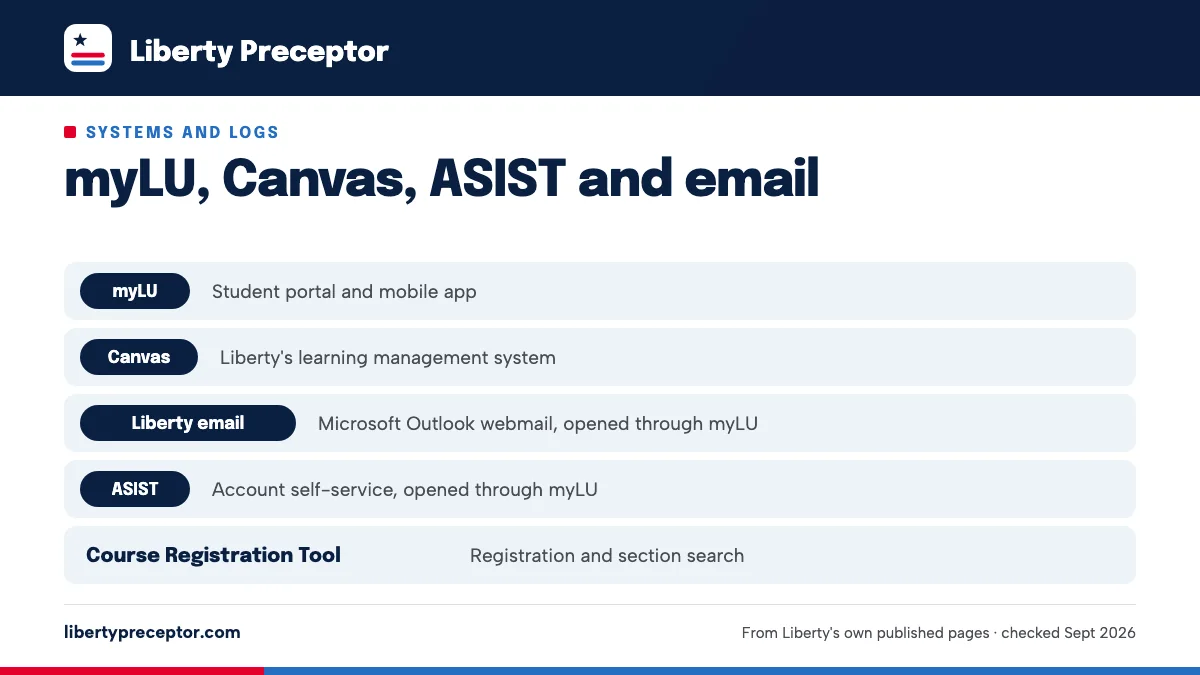
Which system does which job
Liberty uses its own names for each tool, and course instructions assume you already know them. This table maps each one to its role in practicum.
| System | What it is | Practicum role |
|---|---|---|
| myLU | Student portal and mobile app | Front door to Liberty email, ASIST and your courses |
| Canvas | Liberty's learning management system | Gate courses, practicum syllabi, the current nursing handbooks |
| Liberty email | Microsoft Outlook webmail, opened through myLU | Where the School of Nursing and the practicum team write to you |
| ASIST | Account self-service, opened through myLU | Address and account details, but not your licensure state |
| Course Registration Tool | Registration and section search | Shows sub-term and intensive formats |
| InPlace | Clinical placement and tracking system | Placements, logs, evaluations |
| CastleBranch | Compliance and background-check vendor | Background check, drug screen, compliance records |
InPlace and CastleBranch are outside vendors with separate logins, and each has its own page here: InPlace and CastleBranch.
myLU: the front door
myLU is Liberty's student portal, on the web and in the myLU mobile app. Liberty email and ASIST both open from inside it, so a myLU login problem blocks everything else. Sort any access issue out before your Gate course opens, not the week something is due.
One trap sits here. Liberty's School of Nursing state requirements page says an address change made through your myLU portal doesn't update your state licensure disclosure. Liberty's licensure FAQ is blunter: a myLU address change "will not be considered an official address change."
That matters because your state decides which practicum rules apply to you. Keep your mailing address current anyway; it just isn't the record Liberty uses for licensure. The ASIST section below explains the form that actually records a move.
Canvas: Gate courses, syllabi and the current handbooks
Canvas is where your courses run, including the zero-credit Gate courses where, in the catalog's words, "Candidates will submit practicum requirements." For FNP students that means NURS 731, NURS 738 and NURS 739; for post-BSN PMHNP, NURS 756, NURS 757 and NURS 758; for MSN students, NURS 527. The Gate courses page explains what each one collects.
Liberty's standing advice is to "review your course syllabus posted in Canvas during Week 0" of every course. For a practicum course, the syllabus is where log expectations, evaluation due dates and site rules appear first.
Canvas also holds the current DNP, MSN, RN-BSN and PhD student handbooks. Liberty's public handbook pages only link into Canvas, so without a login the newest public versions are the 2022-23 MSN and RN-BSN handbooks. That older MSN handbook names Canvas as the online learning environment yet still mentions a "Pre-Practicum Blackboard Organization" in places, which shows how quickly those PDFs date. When a handbook rule matters, read the Canvas version.
Liberty email: the channel Liberty actually uses
Liberty email is Microsoft Outlook webmail, opened through myLU. The 2022-23 MSN handbook says all School of Nursing mail goes to your Liberty address, and MSN students "are required to check their Liberty email at minimum, every 48 hours."
That rule matters most during placement. Messages about your site, missing documents or approval come from the School of Nursing, so they land in that inbox and not your personal one. If you don't sit at a computer every day, check it on your phone.
Write from your Liberty address too. NP and DNP practicum questions go to APRN.DNPPracticum@liberty.edu, DNP advising to dnp@liberty.edu, and program questions to inboxes such as LUSONMSN@liberty.edu or LUSONDNP@liberty.edu. Using your Liberty account keeps each thread in the system Liberty expects you to use.
ASIST and the State Change Notification form
ASIST is Liberty's account self-service tool, opened through myLU, and Liberty tells students to keep their address current there. For licensure and practicum purposes, though, your state of residence changes only through the State Change Notification form on apex.liberty.edu.
This is the step students skip. Several states are closed to some Liberty tracks for practicum, and your RN license has to be valid where your practicum happens. When you move, update ASIST for your mail, file the State Change Notification form for your state, and tell the practicum team if your practicum state is changing.
Liberty's licensure FAQ says a move won't affect your enrollment "as long as you maintain enrollment in your program." The new state's rules still apply from then on. See Liberty's state restrictions and the RN license page before you pick a new site.
Changing your address in myLU or ASIST does not change your official state for licensure. Only the State Change Notification form does.
Other tools you'll meet
A few more Liberty tools touch practicum, mostly at the edges. None of them replaces the Gate course, but each one answers a question the Gate course might not.
- Course Registration Tool (course-registration.liberty.edu): shows sub-term and intensive formats, useful for checking how your required intensive runs.
- APEX (apex.liberty.edu): hosts the State Change Notification form and, at admission, the recommender contact form.
- Microsoft Teams and WebEx: named in Liberty's older PMHNP FAQ for synchronous classes. Many current NP courses and the DNP practicums are marked "Course offered in a synchronous distant format."
- Online Student Support Coordinator: the contact Liberty's state pages name for reporting any change in your RN license status.
If your program has a required intensive, the intensive page covers the virtual-or-Lynchburg question.
Upstream of every upload
None of these systems will find you a preceptor. They're where Liberty collects and tracks what you bring to it. Our work sits upstream: we look for a preceptor and site that match your Liberty track and your state, then help you get the preceptor's CV, license information and site details ready for the Gate course in Canvas.
The uploads, submissions and emails to Liberty stay in your hands, and Liberty approves every site and preceptor. We also check a lead's state against Liberty's practicum rules for your track before you spend time on it. If a Gate course deadline is close and you still have no site, tell us when you write. To start, contact the placement desk or use the form below.
Questions Liberty students ask
Where is the Liberty nursing student handbook?
The current DNP, MSN, RN-BSN and PhD handbooks are course items in Canvas, so you need your Liberty login. Liberty's public handbook pages only link to them. The newest versions anyone can read without logging in are the 2022-23 MSN and RN-BSN handbook PDFs, which are useful background but may be out of date on practicum rules.
Which email address reaches Liberty's practicum team?
For NP and DNP students, Liberty's program pages give APRN.DNPPracticum@liberty.edu, and the state licensure pages call the same team the School of Nursing Practicum Coordinators. Older MSN material listed other addresses, including PracticumCoordinator@liberty.edu in the 2022-23 handbook. MSN students should use whatever contact their Gate course names, or LUSONMSN@liberty.edu if unsure.
Should my preceptor email Liberty from a personal account?
The 2022-23 MSN handbook expected a preceptor to send an emailed evaluation from a work email address, and the preceptor forms asked for work contact details. If your preceptor only uses personal email, ask the practicum team how to handle it before anything is sent.
Is the Gate course graded like a normal course?
Liberty's catalog lists each Gate course at zero credits, with the same description: candidates submit practicum requirements. It sits in your degree plan like any other course and runs in Canvas. Liberty doesn't publish how completion is marked, so read the Gate course syllabus in Week 0 and ask the practicum team if anything is unclear.
How do I see whether my intensive is virtual or on campus?
Liberty's Course Registration Tool shows sub-term and intensive formats, so check the section you're registered in there first. Then read the course syllabus and announcements in Canvas once it opens. DNP advising at dnp@liberty.edu can also confirm the format for your plan, which matters because Liberty's own pages disagree on it.
Related pages
Last checked 2026-09-23
We check these pages against Liberty's own published sources. The practicum team and Liberty's current handbook have the final word.
More leads, sooner, for your practicum.
Tell us your Liberty program, your county and when your practicum starts. We look for a preceptor and site that fit Liberty's rules for your track, and help you get the Gate-course paperwork right.
- Matched to your track: FNP, PMHNP, DNP or MSN
- Paperwork ready for the Gate course and the site contract
- In person near you, or telehealth where your track allows it
Start your placement plan
A placement advisor replies with what a Liberty-ready preceptor and site look like for you.